


How the Donbet Login Works
- Username or emailEnter it in the first header field
- Password8+ characters with upper, lower and a digit
- LoginPress the yellow Login button or use Google
Logging in to Donbet needs two things: the username or the email address used at sign-up, and the account password. Both fields sit in the header on desktop, so there is no separate login screen to hunt for. Pressing Login checks the details and opens the account straight away.
The standard Donbet login runs like this:
- Open donbet.com in any up-to-date browser.
- Find the two login fields in the black header, to the left of the Register button.
- Type the username or the email address linked to the account into the first field.
- Type the password into the second field, exactly as it was set.
- Press the yellow Login button.
- Check the balance and the account menu in the header to confirm the session is live.
Either identifier works in the first field. The username is the name picked during registration, while the email is the address entered on the same form alongside first name, last name, country and currency. Many players find the email easier to remember, especially months after sign-up, and it leads to exactly the same account.
The password field is where most failed attempts start. Donbet passwords need at least eight characters with an uppercase letter, a lowercase letter and a digit, so a password typed in all lower case will not match one that was created with capitals. Caps Lock is the first thing worth checking.
There is one detail worth knowing before the first sign-in: a Donbet username cannot be changed once the account exists. Whatever was chosen at registration stays as the permanent account name. That makes it a reliable login identifier, and it is one reason we suggest writing it down somewhere safe straight after signing up.
On a shared or public computer, it makes sense to log out at the end of each session rather than simply closing the tab. Our header keeps the account menu within reach on every page, so signing out takes one click. On a personal device, a browser password manager can store the details securely and fill both fields automatically, which removes typing errors altogether.
New players who have not registered yet will not get far with the login fields. The Register button next to them opens the sign-up form, and once that form is complete the same username or email and password become the Donbet login from then on.
Donbet Login With Google
Accounts created with the Google sign-up button log in through Google as well. There is no separate Donbet password to remember in that case, because Google confirms the identity and passes the player straight into the account. It is the quickest way in for anyone already signed in to a Google account on the device.
Signing in with Google follows a short path:
- Open the Donbet login area in the header, or the sign-in window on mobile.
- Press the Google button instead of filling in the username and password fields.
- Pick the Google account that was used to register with Donbet.
- Approve the sign-in on the Google screen if it asks.
- Wait for the redirect back to Donbet, where the account opens already logged in.
Choosing the same Google account every time matters most here. A player with two Gmail addresses who picks the wrong one may not reach the existing account at all, because Donbet links the profile to one specific Google identity. If the balance or the username looks unfamiliar after a Google login, that mix-up is the most likely cause.
Google sign-in also carries the security settings of the Google account itself. Two-step verification set up on Google protects the Donbet login too, since nobody can get past the Google screen without it. For a player who already uses two-step verification on Google, that makes this route the safer one as well as the faster one.
Players who registered with a username and password, rather than Google, should keep using those details. The Google button does not merge two different sign-up methods, so a password account stays a password account. When there is doubt about which method was used at sign-up, our live chat team can confirm it in a minute.
Mobile Donbet Login on Android and iPhone
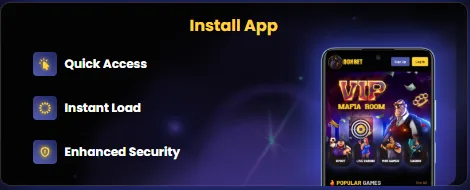
The Donbet login on a phone uses the same username or email and password as on desktop, and the same Google button. There are two ways in on mobile: through the mobile browser, or through the installable Donbet app that sits on the home screen like any other app. Both lead to the same account, balance and bonuses.
What players should know about logging in on mobile:
- Same details everywhere: one Donbet account works on desktop, tablet and phone, so there is no separate mobile username or password.
- Browser login: opening donbet.com in Chrome, Safari or another mobile browser shows the login option at the top of the screen, with the Google button alongside the standard fields.
- Installable app: the Donbet app is a web app added to the home screen, so it needs no download from an app store and takes up very little space on the phone.
- Android install: in Chrome, the three-dot menu offers an install option, and on Android an Install button appears on our install page as well.
- iPhone install: in Safari, the Share menu holds Add to Home Screen, which places the Donbet icon next to the other apps.
- Quick Access, Instant Load and Enhanced Security: these are the three benefits we build the app around, and in practice the icon opens Donbet in one tap, which suits short sessions on the move.
- Password managers: both Android and iOS can fill saved login details into the Donbet fields, which removes most typing errors on a small keyboard.
The installable app is our preferred route on a phone. It opens straight to Donbet without typing an address, and the phone's saved login details fill in neatly on the app's sign-in screen. Full install instructions for both systems sit on our Donbet app page.
On phones, the keyboard causes a lot of failed logins. Autocorrect can capitalise the first letter of a username or add a space after an email address, and either change is enough for the details not to match. Turning off autocorrect for the field, or using the Google button where the account allows it, avoids the problem entirely.
On a phone shared with other people, logging out after each session matters even more than on a laptop. The account menu in the app holds the logout option, and a player who prefers not to stay signed in can simply skip saving the password on that device.
After the First Donbet Login
 Crypto Welcome Bonus
- Min deposit50 €/$
- Wagering30x
- Coins8 accepted
- DepositFirst only
The first Donbet login opens a working account straight away, and players can start with a cryptocurrency deposit right after registration. To open the other payment methods, the profile needs completing and verifying under My Account > Personal Information. Doing this early saves time later, especially before the first withdrawal.
The usual order after logging in for the first time looks like this:
- Log in with the username or email and password, or with the Google button.
- Open My Account from the account menu in the header.
- Go to Personal Information and fill in first name, last name, date of birth, mobile number, country, city and address.
- Save the details and check that the name matches the identity documents that will be used for verification.
- Make a crypto deposit if play should start right away, since cryptocurrency is available before verification.
- Complete verification when asked, which can include a document check or a video verification.
- Use the wider range of payment methods once the profile is verified.
- Activate any welcome bonus in the bonus area before placing the first bet.
Cryptocurrency is open from the start, so a new player is never left waiting to play. Card and e-wallet options open after the profile is complete and verified, and the logos shown in our footer include SEPA, BitGo, Skrill, Visa, Mastercard, Neteller, Payop and AstroPay alongside the supported coins.
Verification can be requested at any time under our terms, and it may include a video check. We understand that nobody enjoys paperwork on day one. Even so, a verified account avoids a pause at the moment a player most wants things to move, which is usually the first withdrawal. Our honest advice: get it done in the opening days of the account.
Accuracy matters on the Personal Information form. A misspelt surname, an old address or a mobile number with a missing digit can hold up verification, because the details have to match the documents. Since the username itself cannot be changed, it pays to get every other detail right at this stage too.
This opening session is also the right moment to check bonus status. Our welcome offers need manual activation, and a new deposit sitting next to an inactive bonus is a common oversight. A look at the bonus area before any spin or bet makes sure the chosen offer actually applies. Players still deciding between offers can compare the terms side by side on our Donbet bonus page.
It is also a good time to set personal limits. Deciding on a deposit budget and a session length before playing keeps the account enjoyable, and our support team can help with self-exclusion if it is ever needed.
Resetting a Forgotten Donbet Password
A forgotten Donbet password is reset through the Forgot Password link next to the login fields. It replaces the old password with a new one, and the account, balance and bonus progress stay exactly as they were. The username does not change during a reset, since usernames are fixed for the life of the account.
The reset follows these steps:
- Open the Donbet login area in the header, or the sign-in screen on mobile or in the app.
- Press the Forgot Password link beside the password field.
- Enter the account details the reset form asks for.
- Follow the reset instructions Donbet provides to set a new password.
- Choose a new password of at least eight characters with an uppercase letter, a lowercase letter and a digit.
- Log in with the username or email and the new password.
- Update any password manager or saved login on other devices so the old password is not filled in by mistake.
Guessing wastes time. After two or three failed attempts, a player is better off using Forgot Password straight away rather than trying every old password they can remember. It also avoids confusion between similar passwords used on other sites.
The new password should be one that is not used anywhere else. Reusing a password from an email account or another website means that a leak elsewhere could expose the Donbet login too. A short phrase with a capital letter and a number mixed in meets our rules and stays easy to remember, for example a combination of two unrelated words and a digit.
Accounts created with Google work differently. Because Google handles the sign-in, there is no Donbet password to reset, and the Google button remains the way in. If the Google account password itself has been forgotten, that reset happens on Google's side.
When the reset does not arrive or the form does not recognise the details, our support team can help. Live chat is the fastest option, and email at support@donbetpromocodes.com suits anyone who prefers a written record. Before changing anything, the team may ask a few questions to confirm the account belongs to the person asking. That small delay protects the balance from anyone else.
Common Donbet Login Problems and Fixes
Most Donbet login problems come down to a small number of causes: a mistyped password, the wrong sign-in method, a mobile keyboard adding characters, or a browser that needs refreshing. The table below matches each common problem with the fix we recommend.
| Problem | Likely cause | Fix |
|---|---|---|
| Password not accepted | Caps Lock on, or a typing error | Check Caps Lock and retype slowly, or use Forgot Password |
| Username not recognised | Username typed differently from registration | Log in with the account email address instead |
| Forgotten username | Chosen at sign-up and not noted down | Use the email address in the first field, since it works the same way |
| Google account opens the wrong profile | A different Google account was picked | Log out of Google and choose the account used to register with Donbet |
| No password for a Google account | The account was created through Google | Use the Google button rather than the password field |
| Login fails on a phone | Autocorrect added a capital letter or a space | Turn off autocorrect for the field or paste the details from a password manager |
| Page does not respond after pressing Login | Outdated browser or a stale page | Refresh the page, update the browser or try another browser |
| App icon opens a blank or old screen | Home screen shortcut out of date | Remove the icon and add it again from our install page |
| Only crypto shows in the cashier | Profile not yet completed and verified | Fill in My Account > Personal Information and complete verification |
| Something else is wrong | Account-specific issue | Contact live chat or email support@donbetpromocodes.com |
Two of these deserve extra attention. The first is the username problem. Because a Donbet username cannot be changed, a player who forgets it cannot simply pick a new one. The email address solves this in almost every case, as the login field accepts either.
The other is the cashier showing only cryptocurrency. It can look like a login fault, but it is not one. A newly registered account can deposit in crypto, and other payment methods appear once the profile is complete and verified. Players who see a narrow list of methods after logging in usually just need to finish the Personal Information form.
Browser issues are less common but worth ruling out. An old browser version, blocked cookies or a page left open for hours can stop the Login button from responding. A refresh fixes most of these, and switching to the installable app avoids them in the long run.
When none of the fixes above work, the account itself may need a closer look. Our live chat team can check the account status, confirm which sign-in method was used at registration and guide the player back in. Including the username or the account email in the first message speeds things up considerably.
Keeping the Donbet Login Secure

A secure Donbet login rests on three things: a strong password, details that only the account holder knows, and a verified profile. Our rules cover the first and the last, and good habits on the player's side cover the rest.
The measures that protect every Donbet login:
- Password rules: each password needs at least eight characters, including an uppercase letter, a lowercase letter and a digit, which blocks the simplest guessable passwords.
- Fixed usernames: a username cannot be changed after registration, so the account name stays the same from the day it is created.
- Identity verification: we may ask for identity checks at any time, including video verification, which confirms the person logging in is the person who owns the account.
- Verified payments: payment methods beyond crypto open only after the Personal Information details are completed and verified, which ties deposits to a real, checked identity.
- Google sign-in option: accounts created with Google inherit Google's own protections, such as two-step verification where the player has switched it on.
- App security: the installable Donbet app is built with Enhanced Security as one of its three core benefits, alongside Quick Access and Instant Load.
- Support on hand: live chat and support@donbetpromocodes.com are available whenever a login looks suspicious or a password needs changing urgently.
Good habits matter just as much as our rules. A password used only for Donbet, never shared with friends or family, and stored in a reputable password manager is far harder to misuse. Logging out on shared devices, and never entering login details on a page that does not sit on the real Donbet address, closes off the most common ways accounts are taken over.
Any sign of unfamiliar activity, such as a changed detail or a login the player does not recognise, should be reported to our support team straight away. A password reset through Forgot Password is the sensible first move while the team looks into it.
Bonuses Waiting After a Donbet Login

Every Donbet offer starts with a login. Welcome bonuses, ongoing rewards and campaign messages all sit inside the account, so the login is the first stop for anyone checking what is available today. These are the offers players find once signed in:
- Slot Welcome Bonus: 150% on the first deposit up to 750 €/$ plus 50 free spins, for deposits from 20 to 500 €/$, with 30x wagering on deposit, bonus and free spin winnings.
- Crypto Welcome Bonus: 170% on the first crypto deposit up to 1,000 €/$ plus 100 free spins, for deposits from 50 to 600 €/$, available only if no earlier deposit has been made.
- Sport Welcome Bonus: 120% up to 600 €/$ for the sportsbook.
- Mini Games Welcome Bonus: 100% up to 600 €/$ for titles such as Aviator, Plinko and Chicken 2.
- Ongoing rewards: 10% loyalty cashback, the Triple Casino Race and VIP wheels, prizes and marketplace for players who keep coming back.
Every welcome offer needs manual activation in the bonus area after logging in, and only one can be used on the first deposit, since they cannot be combined. The crypto offer fits naturally with the post-login order described above, because crypto is the payment route open before verification. Full terms for each offer are on our Donbet promo codes page, and returning players will find the regular rewards set out for existing Donbet customers.
For players ready to play, the latest deals are always listed under current Donbet promotions. As with every bonus, 18+ only, and a budget set before activation keeps the 30-day wagering window relaxed rather than pressured.
Donbet Login FAQ
How does the Donbet login work?
The Donbet login uses the username or email and the password entered in the header fields, followed by the yellow Login button. Accounts created with Google sign in through the Google button instead.
Can the Donbet login use an email instead of a username?
Yes. The first login field accepts either the username or the email address used at registration, and both open the same account.
How is a forgotten Donbet password reset?
The Forgot Password link next to the login fields resets it. The new password needs at least eight characters with an uppercase letter, a lowercase letter and a digit.
Can a Donbet username be changed?
No, a Donbet username cannot be changed after registration. Players who forget it can log in with their email address instead.
Why does only crypto show after the first Donbet login?
New accounts can start with cryptocurrency straight after registration. Other payment methods open once the profile under My Account > Personal Information is completed and verified.