

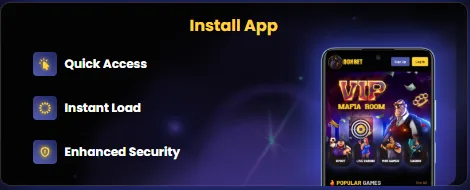
How the Donbet App Works
The Donbet app works by saving our site to the phone as a web app, so it opens from a home screen icon in its own window rather than inside a normal browser tab. Everything a player sees inside it is the live Donbet site, built to fit a phone screen.
That design has a few practical consequences, and they explain most of what people ask us about the app:
- One account everywhere. The app uses the same Donbet account as the desktop and mobile site. A player who registered on a laptop signs in with the same username and password, and the balance, bonus progress and history are already there.
- No separate download. The app installs through the phone's browser, Chrome on Android and Safari on iPhone. It does not come as a package from an app store, so there is no file to fetch and no storage-hungry installer.
- Always current. Because the app loads our live site, new games, new promotions and changes to the lobby appear as soon as we publish them. Nobody has to install an update to see the latest version.
- Full product range. Sports, slots, live casino, mini games, virtual sports, racing, e-sports and tournaments are all reachable from the app, in the same menu layout used on the site.
- Same rules and offers. Bonus terms, wagering, deposit ranges and account checks are identical in the app and on the site. The app is a faster door into Donbet, not a different version of it.
Day to day, the real difference is the starting point. Instead of opening a browser, typing an address or searching for us, a player taps the Donbet icon and lands straight in the lobby. For someone who checks a bet slip during a match or plays a few spins on the commute, that saved minute adds up over a week.
There is a simpler reason we chose the web app route: consistency. A slot that runs on our site runs in the app, and a promotion that appears on our promotions page appears in the app too, with no gap between the two.
Installing the Donbet App on Android
- Open Donbet in ChromeGo to Donbet.com and tap the three dots
- Install the appTap the install arrow and confirm
- DoneThe Donbet icon appears on the home screen
On Android, the Donbet app is installed through Google Chrome in under a minute. Chrome offers the install option from its own menu, and our install page also shows an Install button that does the same job with one tap.
The route through the Chrome menu looks like this:
- Open Google Chrome on the Android phone.
- Go to the Donbet site or to our install page at donbet.app/install.
- Tap the three-dot menu in the top corner of Chrome.
- Choose the install option, marked with a download arrow.
- Confirm the install in the pop-up that Chrome shows.
- Find the new Donbet icon on the home screen or in the app drawer and tap it to open the lobby.
The shorter route uses the Install button on donbet.app/install. Opening that page in Chrome brings up the button, and tapping it triggers the same confirmation pop-up. After confirming, the icon appears in the same place as with the menu method. Both routes end with an identical result, so the choice comes down to which one a player finds first.
A few details make the Android install go smoothly:
- Chrome matters. The install option described here belongs to Chrome. A phone that opens links in another browser by default may not show it, so opening the page in Chrome directly is the reliable fix.
- Sign in once. The first launch from the icon shows the normal Donbet sign-in screen. After that, the app behaves like the site in Chrome regarding saved sign-in.
- Icon placement. On some Android phones the icon lands on the home screen straight away; on others it goes to the app drawer first and can be dragged to the home screen from there.
Players who prefer to keep using Chrome tabs can carry on doing so. Installing the app does not change the site, and the full Donbet experience stays available in the browser at all times. The app simply removes the steps between unlocking the phone and reaching the lobby, which is the reason most of our regular mobile players add it.
A safety note on Android: the Android version of the Donbet app comes from the browser install described above. A player who sees a downloadable file offered elsewhere under our name should treat it with suspicion and use the Chrome route instead, since that is the method we publish on our own install page.
Installing the Donbet App on iPhone
- Open in SafariVisit Donbet.com on the iPhone
- Tap ShareOpen the iOS share sheet
- Add to Home ScreenTap it and confirm
- DoneThe Donbet icon sits with the other apps
On iPhone, the Donbet app is added through Safari using the Share menu and the Add to Home Screen option. The process takes four taps once the Donbet site is open, and the result is a Donbet icon that sits beside the phone's other apps.
Here is the full sequence:
- Open Safari on the iPhone.
- Go to the Donbet site or to donbet.app/install.
- Tap the Share button, the square with an upward arrow.
- Scroll down the share sheet and tap Add to Home Screen.
- Check the name shown for the icon and tap Add to confirm.
- Return to the home screen and tap the Donbet icon to open the app.
Safari is the browser to use here. Apple handles home screen web apps through Safari's share sheet, so the Add to Home Screen option is the one we point iPhone players to on our install page. A player who usually browses in another app can copy our address, paste it into Safari and follow the same steps from there.
The name field in step five is editable. Most players leave it as Donbet, which keeps the icon easy to spot, but it can be shortened or changed before tapping Add. Nothing about the account or the app changes with the label; it only affects what appears under the icon.
Some practical notes for iPhone users:
- Share sheet layout. Add to Home Screen sits further down the share sheet on some iOS versions, below the row of contacts and apps. A short scroll usually reveals it.
- First launch. The first time the icon is tapped, the Donbet sign-in screen appears. From then on, the app opens on the lobby in its own window, separate from Safari's tabs.
- Removing it. The icon can be removed from the home screen the same way as other icons on the phone, and the account itself is untouched by that.
The iPhone version gives the same access as Android: sports, slots, live casino and mini games, all inside one window. For players who switch between an iPhone and an Android tablet, or between a phone and a laptop, the account moves with them, since every version opens the same Donbet account.






Features of the Donbet App
Quick Access, Instant Load and Enhanced Security are the three features we highlight for the Donbet app on our install page. Each one deals with a small, familiar annoyance of using a casino site on a phone.
| Feature | What it means in practice | Who benefits most |
|---|---|---|
| Quick Access | A Donbet icon on the home screen opens the lobby in one tap, with no typing or searching | Players who visit several times a week |
| Instant Load | The app opens in its own window and goes straight to Donbet, without extra browser steps first | Sports bettors checking live markets, short-session slot players |
| Enhanced Security | The icon always opens the genuine Donbet address, so there is no risk of mistyping it or landing on a lookalike page from search | Anyone who signs in and makes payments from a phone |
| Full product menu | Sports, slots, live casino, mini games, virtual sports, racing, e-sports and tournaments | Players who mix casino and sport |
| Same account and offers | One login, one balance, the same welcome bonuses and the same terms as the site | Everyone moving between phone and desktop |
Quick Access is the feature people notice on day one. Before installing, reaching Donbet on a phone means opening the browser, finding the right tab or typing the address, then waiting for the page. With the icon in place, that sequence shrinks to a single tap from the home screen.
Instant Load matters most when timing does. A sports bettor following a match wants the live markets open before the moment passes, and a player with five spare minutes wants the slot running, not the browser menus. Because the app opens directly into Donbet in its own window, it cuts out the usual detour through browser start pages and tabs.
Enhanced Security gets less attention, yet in our view it matters most. Fake pages that copy casino logins are a real problem across the industry, and they often rely on someone searching for a brand and clicking the wrong result. An icon that always opens our real address removes that risk at the source. It works alongside the account protections that already exist on Donbet, such as the password rules and identity checks covered further down this page.
The app also inherits everything the site offers. Popular slots such as Cod Hunter, Gold Mine Express and Legend of Cleopatra Megaways sit in the same rows as on desktop. Live tables including Live European Roulette, VIP Blackjack and Dragon Tiger run in the same window, and mini games like Aviator, Plinko and Chicken 2 are a tap away. The full lobby is set out on our Donbet games page.
The app does not add a separate set of features of its own. One Donbet that behaves the same on every screen is easier to trust than a mobile edition with its own menus and rules.
Promo Codes and Bonuses in the Donbet App
 Slot Welcome Bonus
- Min deposit20 €/$
- Wagering30x
- Time limit30 days
- Max bet5 €/$
Every Donbet promo code and welcome bonus works in the app exactly as it does on the website. The registration form, including the "I have a promo code" box, is the same form, and bonuses are activated from the same bonus area.
These are the welcome offers available through the app for a first deposit:
- Slot Welcome Bonus: 150% up to 750 €/$ plus 50 free spins, for deposits of 20 to 500 €/$. Wagering is 30x the deposit, bonus and free spin winnings, completed within 30 days, with a maximum bet of 5 €/$ per spin while the bonus is active.
- Crypto Welcome Bonus: 170% up to 1,000 €/$ plus 100 free spins, for crypto deposits of 50 to 600 €/$ in Bitcoin, Bitcoin Cash, Ethereum, Litecoin, Ripple, Dash, Monero or Stellar. It applies only when no earlier deposit has been made by any method, and wagering is 30x.
- Sport Welcome Bonus: 120% up to 600 €/$ for the sportsbook.
- Mini Games Welcome Bonus: 100% up to 600 €/$ for crash and instant-win titles.
Only one of these can be used, because each is a one-time offer tied to the first deposit and none of them combine with another promotion. For a first deposit below 50 €/$, the slot offer is the only casino welcome bonus in reach, since the crypto offer starts at 50 €/$. A player with crypto ready and 100 €/$ or more to deposit gets a larger match from the crypto route. The full terms for each offer sit on our Donbet bonus page.
Activation deserves a reminder, since a small phone screen makes it easier to skip. Our casino welcome bonuses do not switch on by themselves. After the first deposit clears, the bonus appears in the bonus area and needs a manual tap on activate before the first spin. Spinning before activation means the deposit plays as normal money and the offer for that deposit is gone.
For a sense of scale, a 100 €/$ first deposit on the slot offer adds 150 €/$ in bonus money, giving a 250 €/$ balance plus 50 free spins. Before any withdrawal, that 250 €/$ needs to be wagered 30 times, which comes to 7,500 €/$ in total stakes, plus 30 times any free spin winnings. Doing that sum before depositing keeps expectations realistic.
Ongoing offers also reach app users. The 10% loyalty cashback, the Triple Casino Race, VIP wheels and prizes, and the Triple Combo sport deal all appear on the promotions page inside the app. Free spin winnings and free bet winnings are capped at a maximum payout of 100 €/$, a rule that applies on every device. Details of the spins themselves are on our Donbet free spins page.
Login and Payments in the Donbet App

Signing in and paying through the Donbet app uses the same account details and the same cashier as the website. New players can register directly in the app, and existing players sign in with the credentials they already have.
For a player starting from scratch, the path from install to first deposit runs like this:
- Tap the Donbet icon on the home screen to open the app.
- Press Register and fill in first name, last name, email, country, currency, username and password, or use the Google sign-up button.
- Tick "I have a promo code" and enter the code, if there is one for the current campaign.
- Confirm the account and sign in.
- Open the cashier and make a first deposit, in crypto straight away or by another method once the profile is verified.
- Go to the bonus area and activate the chosen welcome offer before placing a bet or spin.
The password needs at least eight characters, including an uppercase letter, a lowercase letter and a digit. The username is permanent once the account exists, so it pays to pick one carefully on a phone keyboard, where typos happen easily. Players who already have an account skip straight to signing in, and our Donbet login page covers sign-in problems in more detail.
Payments follow a two-stage pattern. Right after registration, an account can deposit with cryptocurrency. Other payment methods open once the profile is completed and verified under My Account, then Personal Information, where we ask for first and last name, date of birth, mobile number, country, city and address. Filling that in from the phone takes a few minutes and is worth doing early.
The payment options shown on Donbet include:
| Type | Methods |
|---|---|
| Cards | Visa, Mastercard |
| E-wallets and payment services | Skrill, Neteller, AstroPay, Payop |
| Bank transfer | SEPA |
| Crypto | Bitcoin, Bitcoin Cash, Ethereum, Litecoin, Ripple, Dash, Monero, Stellar, with BitGo also shown in our payment row |
Identity verification can be requested at any time, and this may include a video check. On a phone, that is often easier than on a desktop, since the camera is already in hand. We ask for verification to protect accounts and payments, and completing it promptly avoids delays later when a withdrawal is requested.
If anything in the cashier is unclear, our support team is available through live chat inside the app and by email at support@donbetpromocodes.com. Live chat suits quick questions about a deposit or a bonus; email suits anything that needs documents or a longer explanation. When everything is set up, the lobby is ready, and the current welcome offers can be opened from our offers link.
Troubleshooting the Donbet App






Most problems with the Donbet app come down to the browser used for the install or a setting on the phone, and nearly all of them are fixed in a minute. The table below lists the issues players mention most often and the fix for each.
| Problem | Likely cause | Fix |
|---|---|---|
| No install option on Android | The page was opened in a browser other than Chrome | Open the Donbet site or donbet.app/install in Chrome and use the three-dot menu or the Install button |
| No Add to Home Screen on iPhone | The page was opened in a browser other than Safari, or the share sheet was not scrolled | Open the site in Safari, tap Share and scroll down the list |
| Icon missing after install | On some Android phones the icon goes to the app drawer | Check the app drawer and drag the icon to the home screen |
| Sign-in fails | Wrong password or a typing error on the phone keyboard | Re-enter the details slowly, then contact live chat if it still fails |
| Page looks out of date | The phone has not refreshed the page since the last visit | Close the app fully and open it again from the icon |
| Bonus not showing | The first deposit has not cleared, or the offer was not activated | Check the bonus area after the deposit clears and press activate before playing |
| Only crypto offered in the cashier | The profile is not yet completed and verified | Complete My Account, Personal Information and finish verification |
The first two rows cover the large majority of install questions we see. The install method depends on the browser: Chrome on Android, Safari on iPhone. A phone that opens links in a different browser by default needs the page opened manually in the right one.
On mobile, sign-in trouble is usually the keyboard, not the account. Autocorrect and auto-capitalisation can change a password without the player noticing, and our password rules require mixed case, so a single changed letter is enough to block the login. Typing slowly, or showing the password before submitting, solves most cases.
If none of the fixes above works, the quickest route is live chat, which sits inside the app as it does on the site. Our support team can check the account directly and confirm whether the issue is on the phone or on the account side. For anything involving documents, email to support@donbetpromocodes.com is the better channel.
Removing the icon and installing the app again is also a safe last resort. Because the app is our live site saved to the home screen, a fresh install loses nothing: the account, balance and bonus progress live on the Donbet side, not on the phone.
Donbet App FAQ
Does the Donbet App Work on Both Android and iPhone?
Yes. Android phones install it through Chrome, using the three-dot menu or the Install button on donbet.app/install, and iPhones add it through Safari's Share menu with Add to Home Screen. The account, games and offers are the same on both.
Do Existing Accounts Work in the Donbet App?
Yes, every existing Donbet account works in the app with the same username and password. Balance, bonus progress and account history appear straight away, since the app opens the same account as the website.
Can Promo Codes Be Used in the Donbet App?
Yes. The registration form in the app has the same "I have a promo code" box, and the welcome offers, including the 150% slot bonus up to 750 €/$ with 50 free spins, work exactly as on the site. Casino welcome bonuses still need manual activation after the first deposit.
Is the Donbet App Downloaded From an App Store?
No. The Donbet app is an installable web app added through the phone's browser, Chrome on Android or Safari on iPhone. That method is the one we publish on our install page, and it keeps the app on the current version of Donbet at all times.
Why Does the Install Option Not Appear in the Browser?
Usually because the page is open in the wrong browser. The Android install option belongs to Chrome and the iPhone option belongs to Safari, so opening donbet.app/install in the matching browser brings the option up. On iPhone, a short scroll down the share sheet may also be needed.